Water eject · dust removal · speaker test
Clean your phone speakers with sound waves
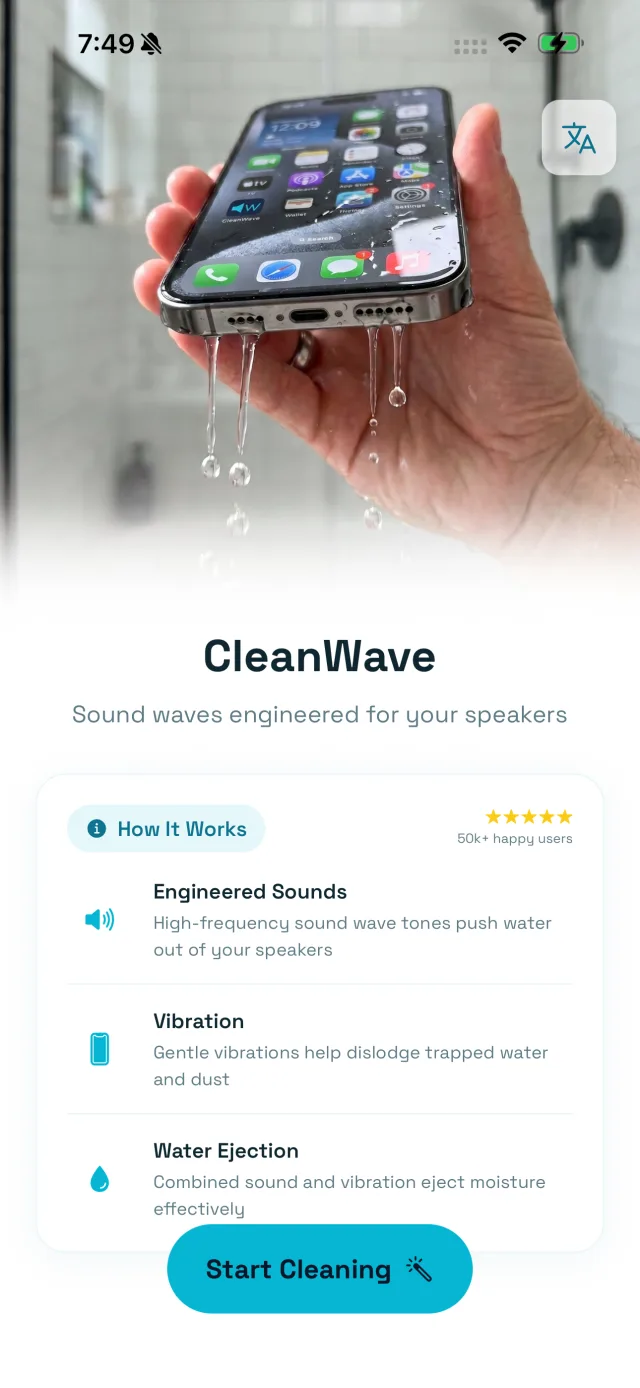
Trapped water and dust muffle every call, song and alarm. CleanWave pushes them out with engineered low-frequency tones and vibration. No tools, no cotton buds, no repair shop. Just press play.
How it works
A speaker is a membrane that moves air. Water sitting in front of it is a thing that can be pushed. That is the whole mechanism.
Engineered sounds
Low-frequency tones drive the speaker membrane to its furthest travel, shoving whatever is in front of it outward.
Gentle vibration
The haptic motor breaks the surface tension holding a droplet against the mesh, so the tone can move what was stuck.
Water ejection
Hold the speaker face-down and gravity carries away what the wave pushed out. Seconds, not hours.
Interactive
Hear the difference yourself
This is the app's own control, running in your browser. Drag from the water band up into the dust band and listen to what changes. Low tones move the membrane a long way, which is what shifts a droplet. High tones move it fast and barely at all, which is what shakes dry dust out of the mesh.
Real tone generation. Nothing plays until you press it.
Deep bass
The water band. This is where CleanWave starts.
Plays a real tone at a low, safe level. Take headphones off first.
Cleaning
Sound waves do the work
Tuned low-frequency tones vibrate the speaker membrane until trapped water beads up and slides out. Watch the wave, hear it clear.
Everything in one tap
Built to be finished with before you have finished reading this line.
Engineered sound
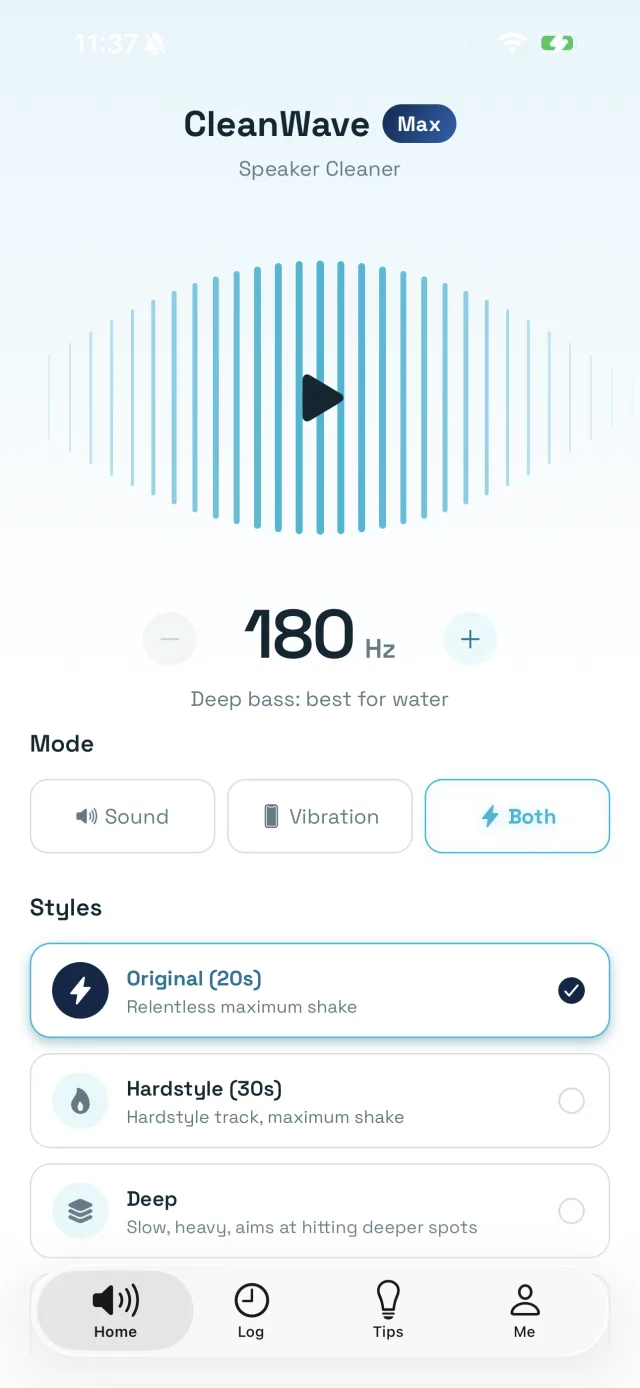
Precision tones from 50 to 2000 Hz, with the deep bass band tuned to push water out.
Three clean modes
Sound, vibration, or both at once. Both clears water that neither clears alone.
Cleaning styles
Original, Hardstyle or Deep. A droplet that will not move at one frequency often moves at another.
Speaker test
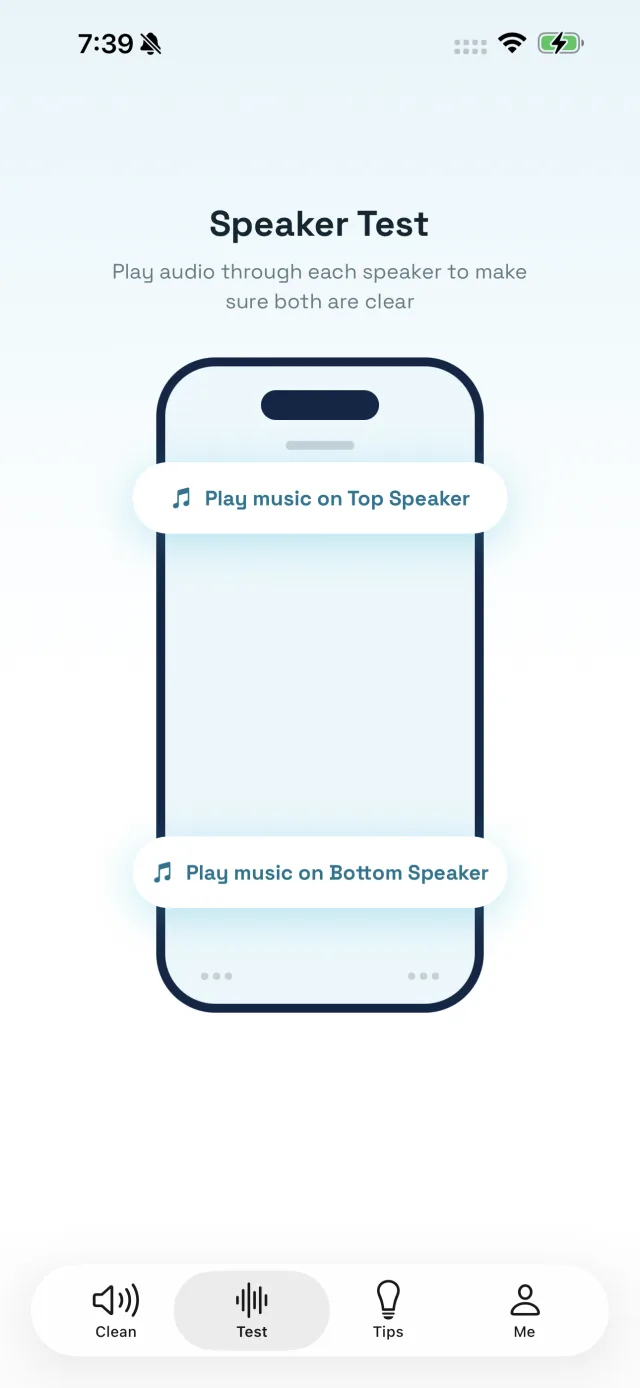
Play through the top and bottom speakers separately, so you find the one that is actually blocked.
Decibel meter
A live sound-level meter, so you know whether your phone is quiet or the room is loud.
Smart reminders
Daily, weekly or monthly nudges, because the failure mode of maintenance is forgetting.
From muffled to crystal clear
Water in the speaker grille muffles every call, song and alarm. CleanWave pushes it out so the sound comes back exactly as it was.
Designed to feel effortless
Guides
Everything about looking after your speakers
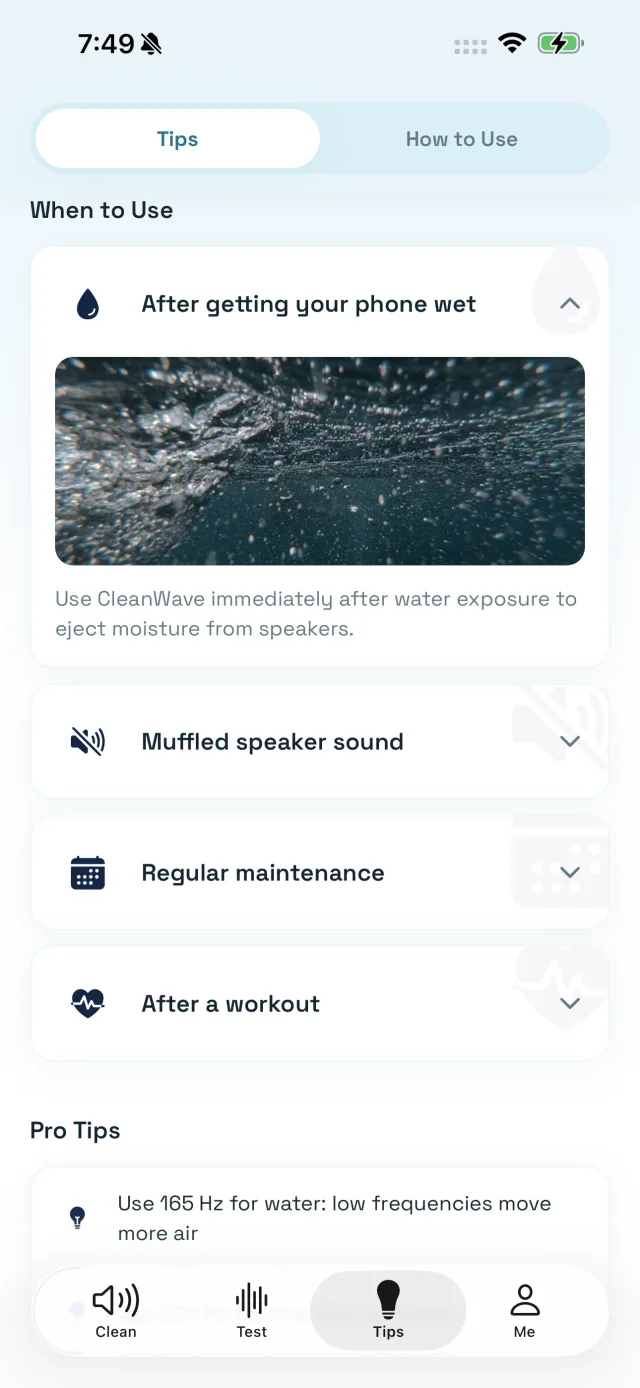
Fourteen plain-language guides on water, dust, muffled sound and the two-minute routine that stops any of it becoming a problem. No sign-up, no email, just the answers.
- Water ejectionHow to get water out of your phone speakerA phone speaker is a membrane that moves air. Water sitting in front of it is a thing that can be pushed. That one sentence is the whole method, and everything below is how to do it properly, what to do first, and the three things people try that make it worse.
- DiagnosisWhy your phone speaker sounds muffled, and how to fix itMuffled is a specific complaint with a short list of causes, and you can work through all of them in about five minutes. Most people never do, because the sound faded gradually enough that they assumed the phone was simply getting old.
- FrequencyThe water eject sound, and what frequency actually worksThere is a reason every water-eject clip on the internet sounds like the same low warble. It is not a magic tone and it is not a placebo either — it is the frequency band where a phone speaker moves the most air. Here is what is really happening, and how to pick the number.
- CleaningHow to clean a phone speaker grille safelyThere is a fine mesh behind those holes, it is the only thing keeping dust off the driver, and once it is torn nothing puts it back. Almost every tool people reach for is capable of tearing it. Here is what actually works.
- DiagnosisBlocked or broken: telling what is actually wrong with your speakerOne of these you can fix in two minutes at your kitchen table. The other needs a repair shop and costs money. They produce different sounds, and once you know which sound is which you will never confuse them again.
- RoutineA phone speaker care routine that takes two minutes a monthNobody neglects their phone speakers on purpose. They degrade slowly enough that there is never a day it becomes urgent, which is exactly why a schedule beats good intentions. Here is the whole routine, and the version for people who go to the gym or the beach.
CleanWave Max
Go further with CleanWave Max
- Unlimited cleaning sessions
- Every frequency and cleaning style
- Full speaker test, top and bottom
- Custom clean reminders
- All future cleaning modes
Questions people actually ask
The short answers. The guides have the long ones.
How do you get water out of a phone speaker?
Play a low-frequency tone through the speaker at full volume with the phone held speaker-side down, so the vibrating membrane pushes the water out and gravity takes it away. That is the whole mechanism, and it is what CleanWave automates: it opens on 180 Hz, the band that moves the most air in a phone speaker, runs a cleaning cycle of sound and vibration together, and tells you to turn the volume up because the amplitude is what does the work. Most trapped water is gone within one or two cycles.
Does playing a sound to eject water actually work?
For water sitting in the speaker cavity and the grille, yes, and the reason is not mysterious: a speaker is a membrane that moves air, a low tone at high volume moves it a long way, and water in front of it gets pushed. It is the same principle as the water-eject feature Apple Watch has shipped for years. What it cannot do is dry the inside of a phone that took water past its seals, un-corrode a contact, or repair a speaker that is physically damaged. It clears the passage; it is not a repair.
What frequency is best for getting water out of a speaker?
Low. Somewhere between roughly 100 and 200 Hz is where a phone speaker’s membrane travels furthest, which is why CleanWave starts at 180 Hz and why the well-known water-eject tones sit around 165 Hz. Higher tones move the air faster but far less, which is better for shaking fine dust loose than for shifting a droplet. The app gives you the whole range from 50 Hz to 2000 Hz so you can work down for water and up for dust, but if you only ever touch one setting, leave it low.
Is it safe to play cleaning tones through my phone speaker?
Yes. The tones are ordinary audio at ordinary volume — nothing your phone would not produce playing music loudly, and the speaker is built to do exactly this. The two real cautions are about your ears and the people near you, not the hardware: hold the phone away from your head while a cycle runs, and take earbuds out first. If the sound is distorting badly at full volume that is worth noticing, but it is a sign the speaker already has a problem, not one the tone is creating.
Why does my phone speaker sound muffled even though it is dry?
Usually because it is blocked rather than wet. Pocket lint, dust and skin oil pack into the grille mesh over months and physically reduce how much air gets through, and the effect is gradual enough that most people never notice it happening — they just conclude the phone got quieter with age. A case with a slightly misaligned speaker cutout does the same thing instantly. Vibration cycles shake loose material out of the mesh; anything genuinely caked in needs a soft dry brush as well.
Is CleanWave free?
Yes, cleaning is free and there is no advertising anywhere in the app. CleanWave Max is an optional subscription that unlocks unlimited sessions, every frequency and cleaning style, the full top-and-bottom speaker test, custom reminders and every future cleaning mode. Free on iOS and Android.
Does CleanWave work offline?
Yes, entirely. The tones are generated on your device, so there is nothing to download and nothing to send anywhere — which matters, because the moment you most need this is usually the moment you have just got out of the water and have no signal. The app does not need an account and does not ask for your microphone in order to clean.
How often should I clean my phone speakers?
Once a month is plenty for ordinary use, and thirty seconds is enough for a routine pass. Clean immediately after any water — rain, a pool, a spill, a shower shelf — and after anything dusty or sandy, because the material is loosest right after it arrives. If you use the phone at the gym, weekly is worth it; sweat is salty and it dries hard. CleanWave will remind you on whatever schedule you set so it stops being something you remember only when the sound is already bad.
Can CleanWave fix a speaker that has stopped working completely?
Not if the speaker itself has failed, and it will not pretend otherwise. The way to tell them apart takes a minute: run the speaker test and play through the top and bottom speakers separately. If one is silent and the other is fine, or the sound is present but crackling and distorted at any volume, that is hardware or corrosion and it needs a repair. If both are quiet, dull, or thin but still working, that is a blockage and it is exactly what this app is for.
Does it work on iPhone and Android?
Yes, on both, and the method is the same because the physics is. The one practical difference is placement: most iPhones and most Android phones put the main speaker on the bottom edge beside the charging port and the second one in the earpiece slot at the top, so both need cleaning and the speaker test is what tells you which one is blocked. Free on iOS and Android, in 24 languages.
Can it clean AirPods, earbuds and Bluetooth speakers?
Only indirectly, and it is worth being precise about why. The tones play through the speaker they are routed to, so sending them to a Bluetooth speaker does clean that speaker. AirPods and in-ear buds are a different problem: what blocks them is earwax packed into the mesh, which is a solid, and no amount of vibration moves it. Those need the mesh cleaning by hand with a dry soft brush. Use CleanWave for the phone; use a brush for the buds.
Will cleaning tones damage my hearing?
They will not at arm’s length, and they could at your ear, which is the only reason this warning exists. A cleaning cycle runs at full volume by design because amplitude is what shifts the water, and a phone at full volume held against your head is loud enough to be worth avoiding. Put the phone down on a surface, or hold it away from you, and take earbuds out first. CleanWave also has a decibel meter if you want to see what the room you are in is actually doing.
“Water, dust, and anything that gets stuck in your speakers, this app will clean it.”
Get your sound back
Free on the App Store and Google Play. Works offline, no account needed.